
The world and how to navigate it
Apocalypter's world is infinite and procedurally generated — the same desert, redrawn for every seed, with the same grammar of landmarks. Learning that grammar is the actual navigation skill, because the game will not hold your hand past the tutorial.
Advertisement
Pairs with: Community world seeds worth trying · Car customization and builds · Parts, condition and maintenance
Seeds and what they mean
New game asks for a map seed. Leave it random, type a favorite number, or share one with a friend — the world is generated from it, so the same seed reproduces the same starting region. The demo even accepts the seed on the main menu before you commit, which means "rerolling until the start looks survivable" is a legal move.
Practical advice: do not reroll for a perfect start. The first region is never empty, and the systems you learn surviving a mediocre seed transfer directly to the full game.
A running list of seeds other players have shared — and what a seed actually changes once you are in — is in community world seeds.
Navigation: compass, roads, landmarks
The store page sums up the demo's entire navigation philosophy in one sentence: "Follow roads for easier navigation, but don't get attached to them, sometimes they lead to nowhere."
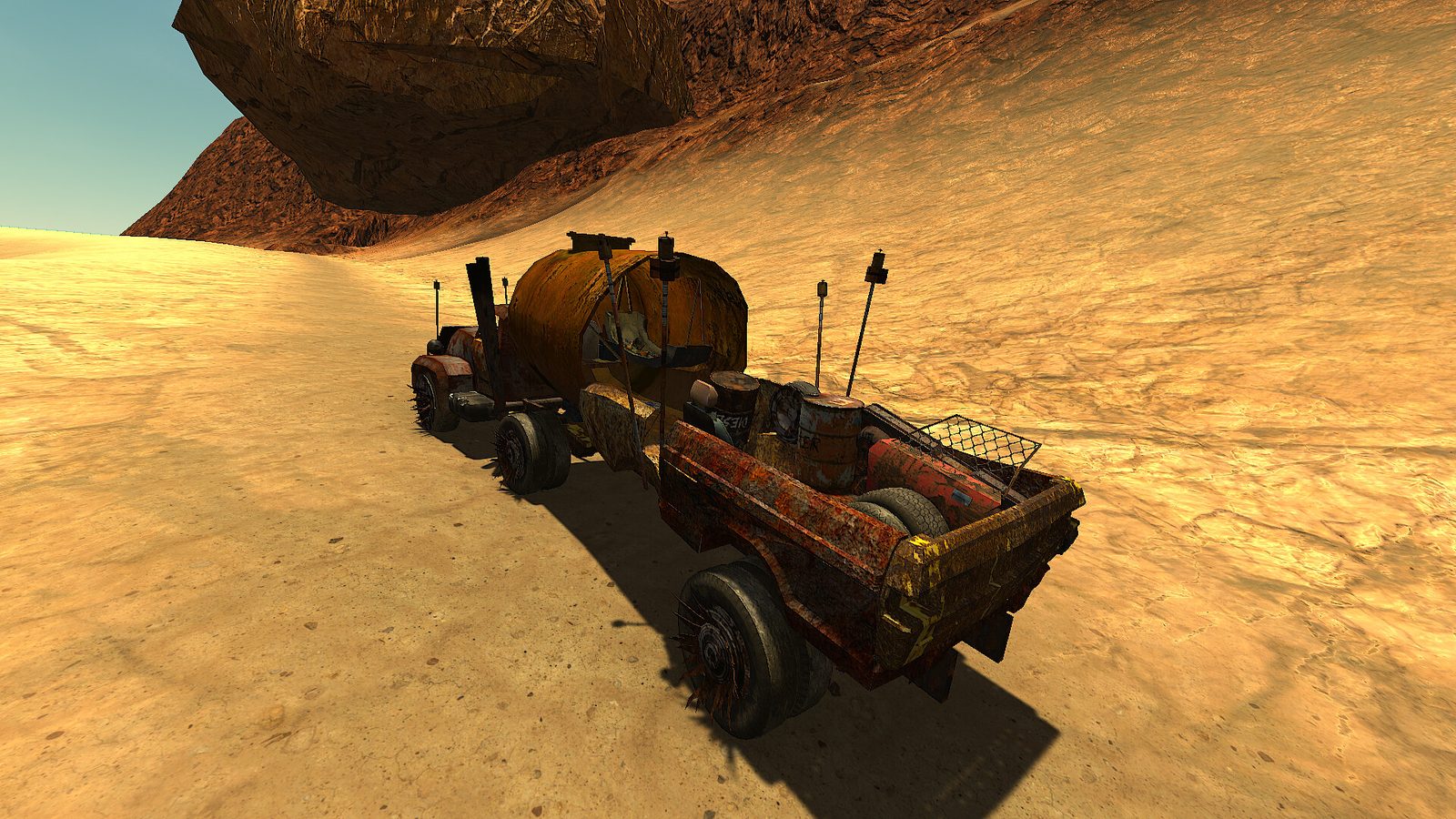
What works in practice:
- Pick a landmark, drive to it. Every horizon has readable silhouettes — a tower, a wreck, a mesa, a cluster of buildings. Navigate landmark to landmark, not coordinate to coordinate.
- Roads are best-effort. They connect civilization and stretch into nothing with equal enthusiasm. Use them, but when a road forks toward nothing, trust the landmark you were aiming at.
- The compass is a bearing, not a map. It keeps your heading honest when terrain forces detours — especially in the demo's version of a whiteout (dust) and at night, when everything beyond the headlights is black.
- Note fuel before route. The desert's real-distance mechanic is fuel: a landmark you cannot reach with a full tank is decoration.
Points of interest: the stop list
The demo's structures follow a readable taxonomy. What is worth stopping for, in rough priority:
| POI | What is there | Stop? |
|---|---|---|
| Faction camps (e.g. fuel camp, dog boat) | Fuel, water, dew collectors, traders, sleeping spots | Always — these are the demo's gas stations |
| Buildings and ruins | Storage crates, food, tools, occasional guns | Yes; watch for zombies |
| Roadside wrecks | Car parts — engines, radiators, tires | Yes, parts are the economy |
| Towers | Vantage points; sometimes bandit-occupied | With binoculars, at range |
| Caves | Loot, and things that live in caves | Late-game, well-armed |
| Shipwrecks | The demo's strangest landmark: an ocean wreck in a dry world | Curiosity stop; loot on par with ruins |
Day and night
The cycle is real and it changes the danger model:
- Day: heat (water drain), scavengers, visibility good.
- Dusk: the transition — zombie runners come out, and any fight you are mid-way through gets harder.
- Night: pitch black beyond headlights; night walkers active; sleeping is the correct answer.
The car's headlights work, and driving at night is possible — but every light source in the demo's world seems to attract company. Night drives are for emergencies and escape, not exploration.
Sandstorms: current behavior and the optional toggle
The September 30 hotfix fixes sandstorms turning toward the player after loading a game and adds Disable Sandstorm under Settings → Gameplay Cheats. If a storm appears to chase you after loading an old build, update before changing your route or abandoning the seed.
If you prefer exploring without storms, use that explicit toggle. It changes the hazard setup rather than proving a particular seed is safe. The patch says saves are compatible, but also warns that some fixes only appear for newly spawned items or a new game; it does not identify a separate storm-specific reset procedure.
If the car’s throttle, brake, clutch or steering keys fail, install the October 1 hotfix before diagnosing a broken vehicle — that patch fixed those keys not working for some players, and the October 9 hotfix fixed a clutch case that survived it. Official hotfix notes.
A ladder will not work
Keep the two ladder fixes separate: September 26 fixes the Tower of Terror ladder being too short; October 9 addresses radio-tower ladders that sometimes cannot be used. Neither fix supplies a universal tower coordinate in a procedurally generated world.
Update before abandoning a tower or rerolling a seed for an interaction fault. The hotfixes retain save compatibility, while some object fixes require newly spawned objects or a new game; there is no instruction to delete every existing save. October 9 hotfix.
Getting un-lost (it will happen)
- Stop the car. The desert looks samey at speed and identical in panic.
- Climb something, or climb the car roof: scan for your most recent landmark and the sun's position.
- If neither works: pick the nearest road and follow it — with the store page's warning in mind, roads pass through civilization more often than they pass through fully wild terrain.
- Worst case, drive a bearing until you hit water or a camp; the demo's world density is high enough that "keep moving" genuinely finds people.
The launch build's world is the same system with more content layered in. Everything above is a habit, not a location — it carries over on day one.