
Apocalypter beginner guide
Start by making one car dependable, then use it to connect water, fuel and trading stops. The full game released September 23, 2026. The separate free demo is an older, reduced build; its one-car and one-save-slot limits should not be used as the released game's limits.
Advertisement
1. Inspect before taking a long drive
Look over the vehicle you find before loading it with loot. Check fuel type and level, engine oil, radiator water, battery and the condition of its fitted parts. The car is a collection of components, so finding a chassis does not mean it is ready for a long trip.
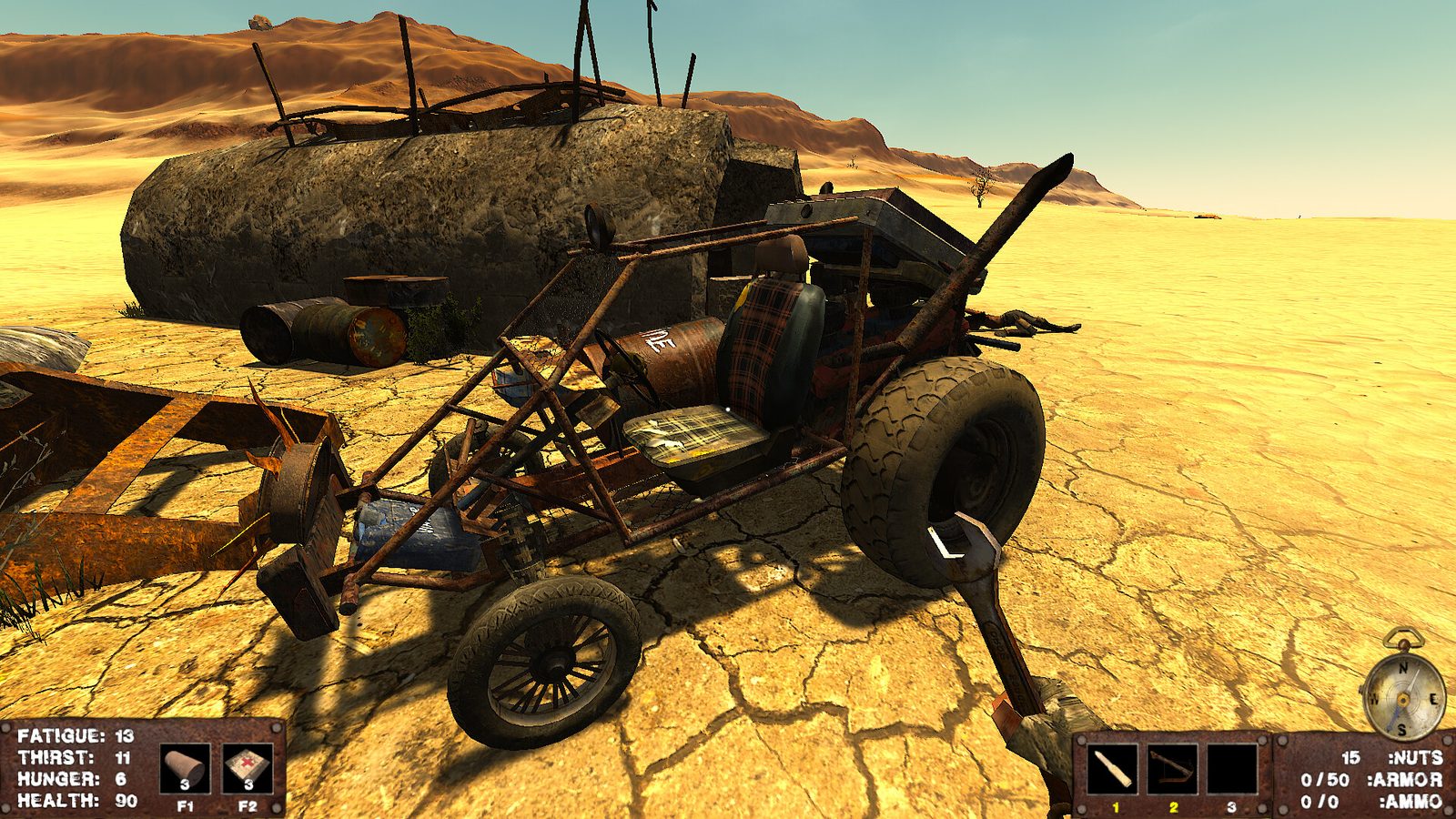
Water has two jobs: keeping you alive and cooling the engine. Carry a supply you can refill at structures and camps. A radiator that loses water quickly calls for a condition and cooling-size check, not simply a longer drive to the next landmark. Parts and maintenance.
2. Equip the things you mean to carry
Hold F to wear or change a backpack or body armor. The October 9 hotfix changed this interaction, so a quick tap is not the equipment command. A backpack helps keep food, tools and ammo together; armor is a separate equipment decision, not something you equip by merely carrying it.
Keep the items you need during a stop on your character and put spare vehicle parts in the car's storage. The store lists binoculars and a flashlight as character upgrades: use binoculars to inspect a landmark before spending fuel reaching it. Equipment.
3. Build a supply route
- Choose a visible landmark with your compass and binoculars.
- Check your fuel, coolant and personal water before leaving.
- Search structures, wrecks and camps for supplies and parts.
- Compare what a trader is buying or selling before spending rusted nuts, the currency.
- Keep a repair box with the car and inspect the vehicle again after a collision.
Trader inventories are randomized. A named camp or seed is a lead, not a promise that every needed part is for sale there. Roads help navigation but may lead nowhere; keep a remembered landmark behind your route. World and navigation · community seed notes.
4. Fight for a reason
The released game has different melee and ranged weapons, with ammunition tied to caliber. Enemies can drop weapons, ammo and healing items. Before a fight, check the ammunition for the weapon you are holding and leave a route back to your vehicle.
The old demo's handmade-weapon examples are not a complete release weapon roster. Likewise, an armor item does not promise a fixed number of extra hits against every enemy. Weapons and combat.
5. Check controls before replacing the car
The September 30 hotfix made throttle, brake, clutch and steering rebindable; the October 1-labelled hotfix fixed inputs that still failed for some players. October 9 includes a further clutch fix. If those controls appear dead, update and check Settings → Controls before treating the engine as the fault.
For a driving-focused run, the game's Settings → Gameplay Cheats includes hunger/thirst options and the September 30 Disable Sandstorm switch. Disabling thirst does not remove the radiator's need for coolant. The September 26 update also removed the minimum tiredness requirement for sleeping and fixed sleeping with fatigue disabled.
6. Recognize a loading fault
The October 9 patch addresses engines, radiators and cassettes failing to lock their physics promptly after loading, as well as hovering dropped items and an interaction failure. Trailer detachment after loading is also addressed, although the developer retains an exception for a car saved in an awkward position.
Park with clearance before saving a complicated trailer build. If it loads badly, inspect the coupler and attached parts before accelerating. The patch is save-compatible; some fixes apply only to newly spawned objects or a new game, so compatibility does not mean every old object is rebuilt.
October 9 hotfix · customization and trailers · survival supplies · demo scope